
Industrial Sites
Industrial sites often consists of expensive equipments & materials, often covering a vast area and thousands of different people on site every hour, it
Use Cases · Case Study
A working factory floor runs on people, machinery, and materials moving constantly — which is exactly where safety and asset visibility tend to break down. Here’s how four Collie modules combine into one system across a typical industrial deployment.
The Sites
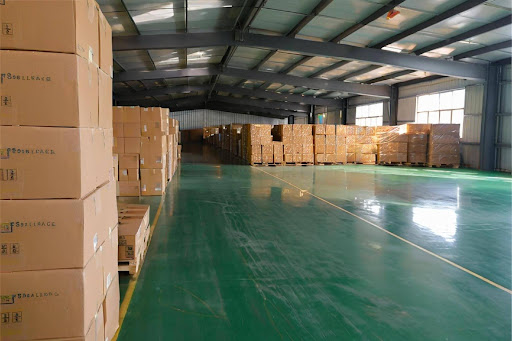
a production floor, a materials warehouse, a loading dock, and a mix of permanent staff and rotating contractors moving through all three. Forklifts and mobile equipment shift constantly. Air quality varies between enclosed process areas and open dock doors. PPE rules apply everywhere, but no one can watch every worker on every shift.
This is the profile Collie is built for: not a single problem to solve, but several running in parallel, on the same site, at the same time.
The challenge
Each user type gets its own registration flow and its own default access rules — set once, applied consistently.
What’s inside
Three capabilities that apply across all three user types, each configured to fit the population.
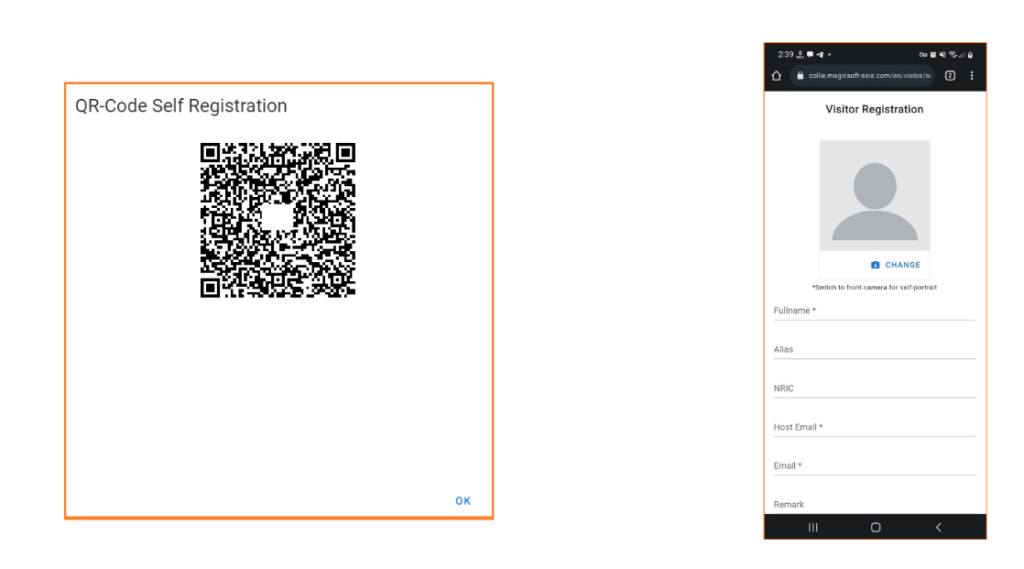
Each user type has its own intake form, approval path, and default access rules — no generic one-form-fits-all sign-up.
Organise people into teams, projects, contractors, or departments, then manage access permissions at the group level.
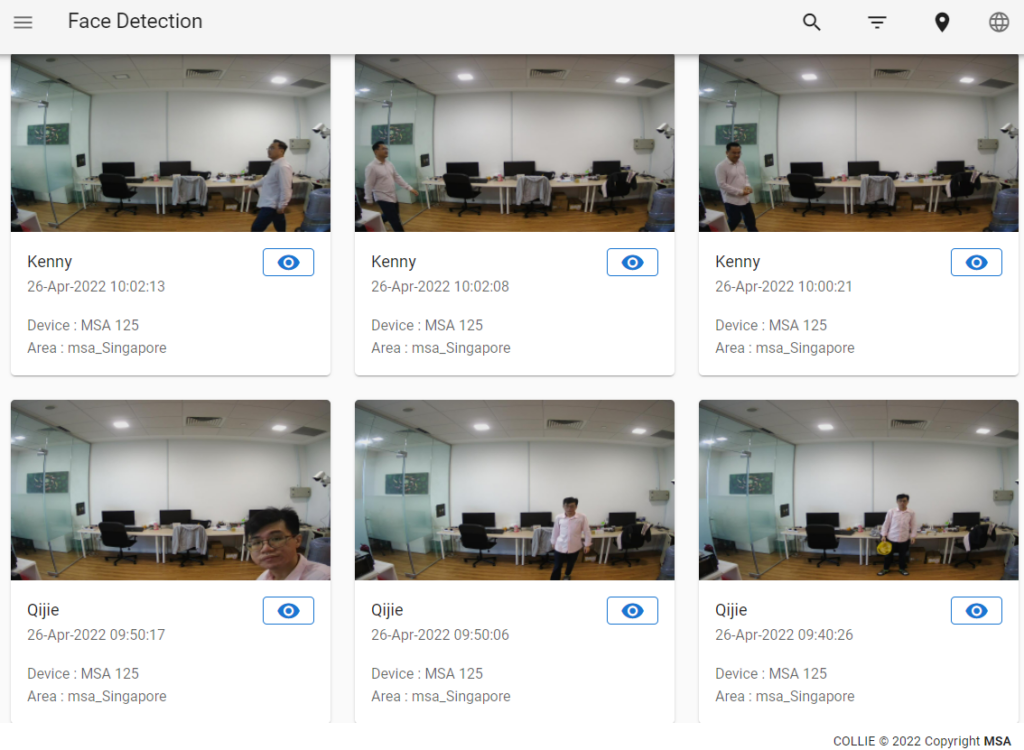
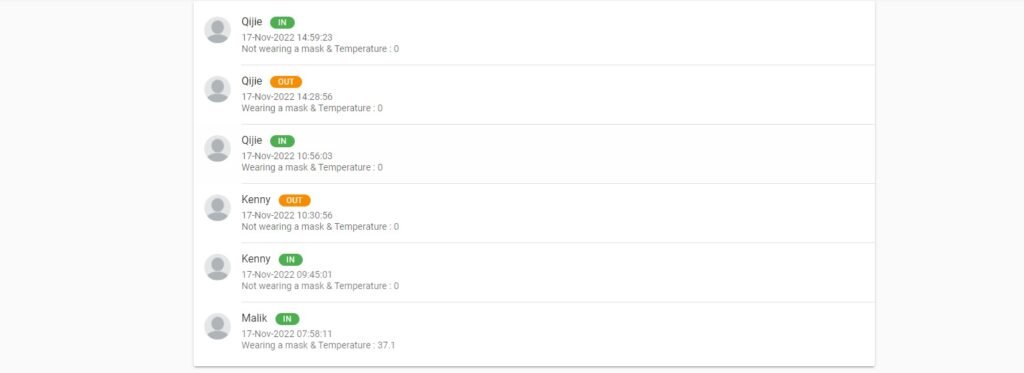
Every entry and exit is logged per person, searchable by name, type, group, or location — the record you need when something needs answering.
Worker and visitor access can be set to expire automatically at the end of an assignment or visit window — no manual clean-up needed.
How it flows
The same loop, whether it’s a visitor’s first visit or a staff member’s five-hundredth.
A visitor or new staff member self-registers, is routed for approval, and gets assigned to the locations they’re cleared to enter.
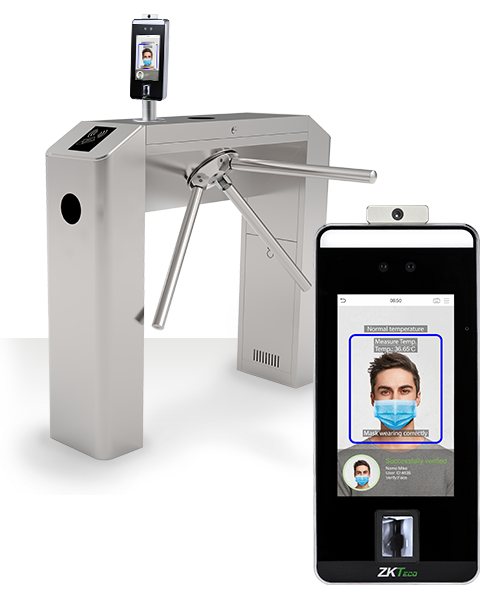
At the gate, face or card is verified against the assignment. No match, no clearance — the turnstile simply doesn’t open.
Every pass becomes a timestamped record — feeding attendance reports, occupancy limits, and incident investigations.
The same face-and-card authentication that guards your turnstiles also rides on the Collie robot fleet — letting a patrol unit badge itself through the same gates your staff use, no separate system required.
Where it’s deployed
Access Control Management is built as a single feature set — software that decides who goes where, hardware that enforces it.
Cardless door access and self-service visitor sign-in with full attendance reporting.
Worker and visitor access history tied to on-site safety and PPE compliance
Staff and patient access control, with sterile-zone entry restricted to cleared personnel.
Visitor and worker access monitoring across gates that change by project phase.
Staff and patient access is managed through facial or card authentication, with sterile-zone entry restricted to specifically cleared personnel only.
Yes, self-registration and type-specific approval routes let visitors, patients, and staff each follow a workflow suited to their role, reducing front-desk queues.
It can handle patient enquiries, automate registration and appointment booking, and assist with tasks like accurate drug dispensing – reducing workload for healthcare staff.
Yes, checkpoint-level health readings such as temperature screening commonly run alongside access control at hospital entry points.
Hospital deployments run on the same Collie system covered by Magicsoft’s ISO 27001-certified information security management practices.

Industrial sites often consists of expensive equipments & materials, often covering a vast area and thousands of different people on site every hour, it

Hospital around the world faces an issue whereby it is a publicly accessible area yet it is filled with expensive & sensitive product. Coupled

Office Buildings can have up to hundreds of visitors a day. Utilising Self Registration, ALPR & Access Control, we are able to reduce physical
Tell us how many workers, staff, and visitors move through your site — we’ll show you how the registration and grouping would look.